Wordflow Temporal Course · Lessons
09 · Signal-with-Start
Goal: a global leaderboard that every player’s finished games feed into.
Concepts
Singleton Workflow. One Workflow with a fixed ID, leaderboard, for the whole app. It’s an entity, like a player, with one instance.
Signal-with-Start. Sends a Signal to a Workflow and, if it isn’t running, starts it first, in one atomic call. Nobody has to create the leaderboard ahead of time. The first finished game creates it.
Why a Signal here. The player doesn’t need a reply, and the leaderboard should never slow a player down. Signals are recorded and processed in order, even if the leaderboard’s Worker is busy.
Safe to repeat. Each entry carries a version (the player’s games played). The leaderboard ignores anything older than what it has. A Signal that arrives twice or out of order can’t make the board wrong.
Activities can’t import Workflows. Workflows already import Activities, and Go doesn’t allow import cycles. So the Activity starts the leaderboard by its type name, LeaderboardWorkflow.
Patterns
What you’ll build
LeaderboardWorkflow: aleaderboardQuery, and a loop that receivesscoreSignals and updates the board.- A
PublishScoreActivity that uses Signal-with-Start. - The Player runs
PublishScoreafter recording each finished game. GetLeaderboardin the API queriesleaderboard. If it doesn’t exist yet, it returns an empty board.
Build it
1. Names
In app/shared/shared.go:
// The leaderboard is a single Workflow with a fixed ID.
const (
	LeaderboardWorkflowID = "leaderboard"
	// Activities cannot import the workflows package, so they start it by name.
	LeaderboardWorkflowType = "LeaderboardWorkflow"
	QueryLeaderboard        = "leaderboard"
	SignalScore             = "score"
)

type LeaderboardInput struct{}
LeaderboardInput is empty for now. Lesson 10 adds a field. Using a struct from the start lets you add fields later without changing the Workflow’s signature.
2. The leaderboard
Create app/workflows/leaderboard.go:
package workflows

import (
	"go.temporal.io/sdk/workflow"

	"wordflow/app/shared"
	"wordflow/internal/game"
)

// LeaderboardWorkflow is the single, global leaderboard.
func LeaderboardWorkflow(ctx workflow.Context, input shared.LeaderboardInput) error {
	board := &game.Leaderboard{}

	err := workflow.SetQueryHandler(ctx, shared.QueryLeaderboard, func() (game.LeaderboardView, error) {
		return board.View(), nil
	})
	if err != nil {
		return err
	}

	scores := workflow.GetSignalChannel(ctx, shared.SignalScore)
	for {
		var entry game.LeaderboardEntry
		scores.Receive(ctx, &entry)
		board.Upsert(entry)
	}
}
Register it in the Worker:
w.RegisterWorkflow(workflows.LeaderboardWorkflow)3. Publish with Signal-with-Start
In app/activities/players.go, add (and import "wordflow/internal/game"):
// PublishScore sends a player's score to the leaderboard, starting the
// leaderboard Workflow if it is not running yet.
func (a *PlayerActivities) PublishScore(ctx context.Context, entry game.LeaderboardEntry) error {
	options := client.StartWorkflowOptions{
		ID:        shared.LeaderboardWorkflowID,
		TaskQueue: shared.TaskQueue,
	}
	_, err := a.Client.SignalWithStartWorkflow(ctx, shared.LeaderboardWorkflowID, shared.SignalScore, entry,
		options, shared.LeaderboardWorkflowType, shared.LeaderboardInput{})
	return err
}
The arguments are: Workflow ID, Signal name, Signal argument, start options, Workflow type, and Workflow input. The input is only used if the Workflow has to be started.
4. Call it from the Player
In app/workflows/player.go, replace the else branch in the main loop:
		} else if player.FinishGame(result) {
			publishScore(ctx, player)
		}
FinishGame returns false if it has already seen this result. Add the helper, and import "time" and "wordflow/app/activities":
func publishScore(ctx workflow.Context, player *game.Player) {
	ctx = workflow.WithActivityOptions(ctx, workflow.ActivityOptions{
		StartToCloseTimeout: 10 * time.Second,
	})
	var a *activities.PlayerActivities
	err := workflow.ExecuteActivity(ctx, a.PublishScore, player.LeaderboardEntry()).Get(ctx, nil)
	if err != nil {
		workflow.GetLogger(ctx).Error("publish score failed", "error", err)
	}
}
5. The API
In app/api/api.go, import "errors" and "go.temporal.io/api/serviceerror":
func (a *API) GetLeaderboard(ctx context.Context) (game.LeaderboardView, error) {
response, err := a.Temporal.QueryWorkflow(ctx, shared.LeaderboardWorkflowID, "", shared.QueryLeaderboard)
var notFound *serviceerror.NotFound
if errors.As(err, ¬Found) {
// Nobody has finished a game yet, so the leaderboard has not started.
return game.LeaderboardView{Entries: []game.LeaderboardRank{}}, nil
}
if err != nil {
return game.LeaderboardView{}, err
}
var view game.LeaderboardView
err = response.Get(&view)
return view, err
}6. Run it
Restart the Worker and the server without running make clean-workflows, and follow the checklist. Compare with solutions/09.
Check it
Don’t clean up first this time. Keep Lesson 8’s player-alice, with at least one finished game, and restart the Worker and the server.
-
Within a few seconds (the app queries the player, which makes the Worker load her history), the Worker logs an error with code
TMPRL1100, a nondeterminism error.player-aliceshows a failing Workflow Task in the Temporal UI. Her history says “game finished, then wait”. The new code says “game finished, then runPublishScore”. When the code and the history disagree, Temporal stops the Workflow instead of guessing. Lesson 12 is about this. For now, runmake clean-workflows.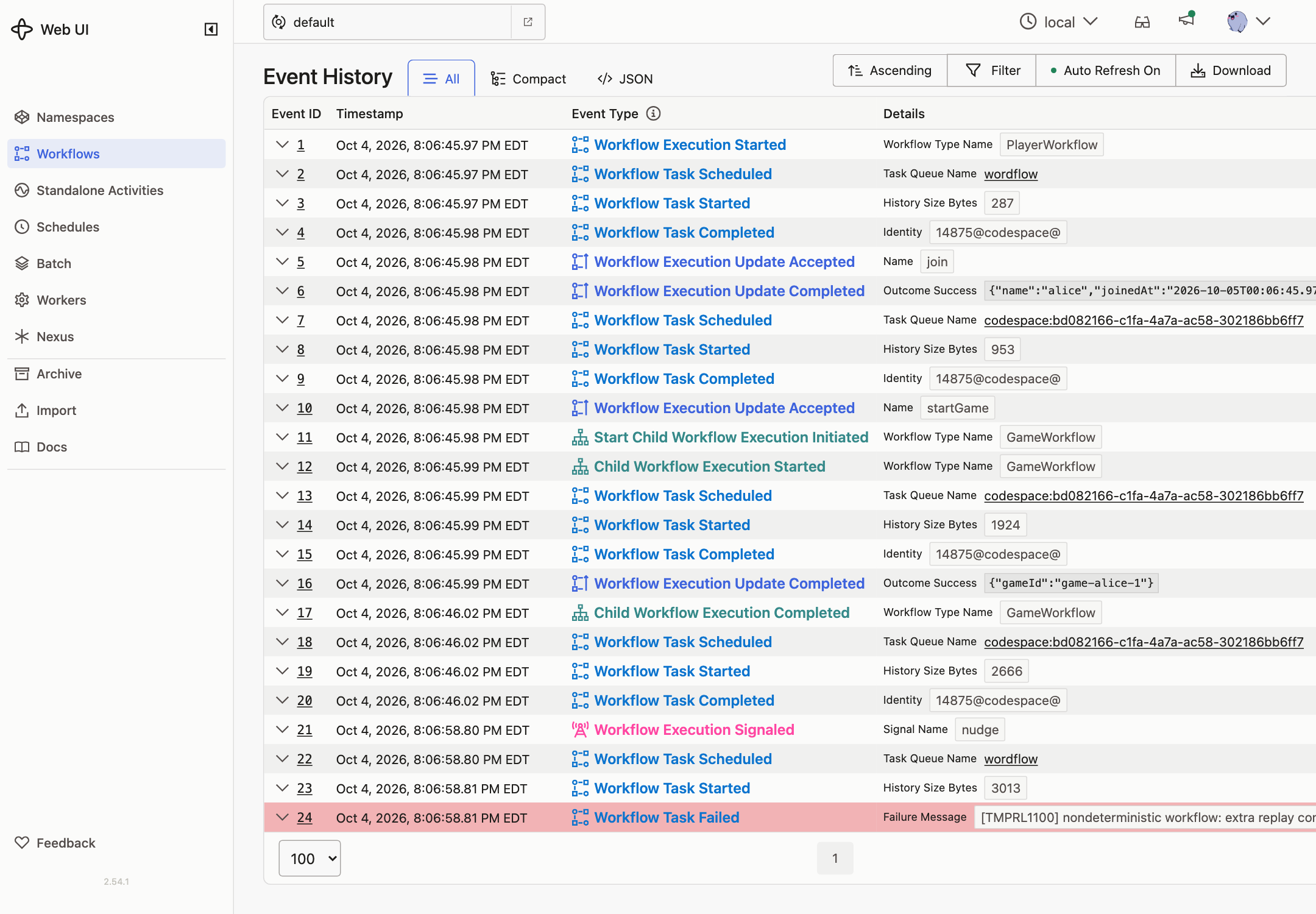
-
Before any game finishes, the leaderboard is empty and there’s no
leaderboardWorkflow. -
Join as
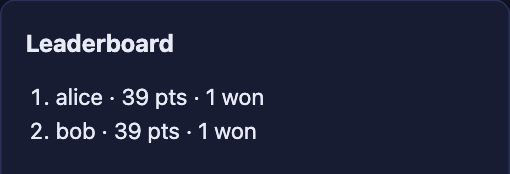
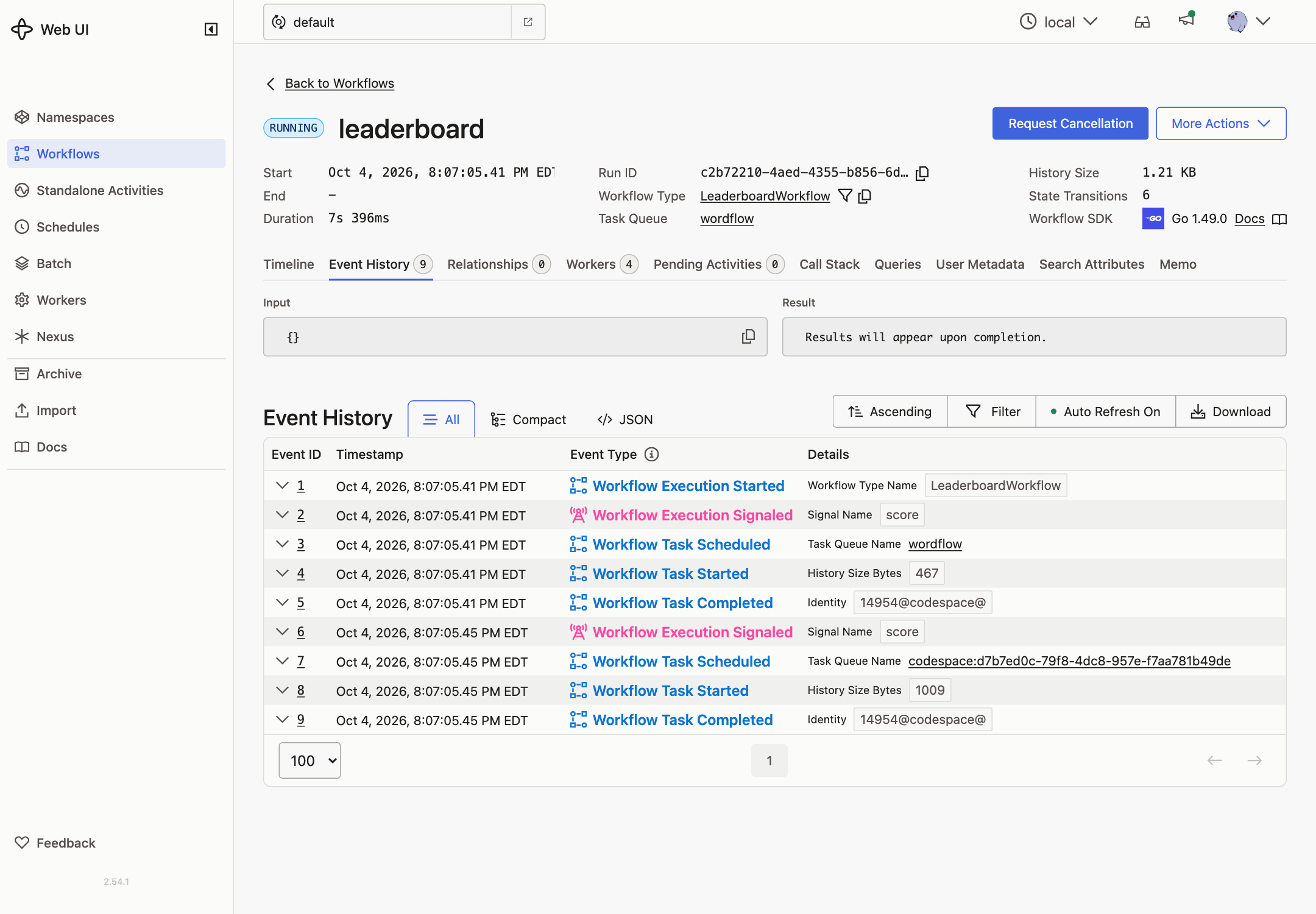
aliceand finish a game. TheleaderboardWorkflow appears. Its history starts withWorkflowExecutionStartedfollowed byWorkflowExecutionSignaled, from one call. Alice is on the board. -
Join as
boband finish a game. Both are listed, ranked by points earned. The leaderboard has one more Signal and is still the same Workflow.