Wordflow Temporal Course · Lessons
05 · Durable Timers
Goal: each game has a clock. When it runs out, the game ends. Players can add 30 seconds, twice.
Concepts
Durable Timer. A Workflow can sleep or start a Timer for any length of time. The Temporal Service keeps the Timer, not the Worker, so it fires on time even if no Worker is running. It’s recorded as TimerStarted, then TimerFired or TimerCanceled.
Waiting for “whichever comes first”. Workflows often wait for a Timer or a change in state. Here the clock waits for the deadline, the game ending, or the deadline moving.
Cancelling a Timer. A Timer you no longer need should be cancelled. Otherwise it still fires later and wakes the Workflow for nothing.
Workflow time. The SDK’s clock returns the time of the current Workflow Task. It doesn’t move while your code runs, and it’s the same when the code is re-run.
Patterns
- Updatable Timer: when the deadline changes, cancel the Timer and start a new one.
What you’ll build
- After loading the puzzle, set the deadline to now + the puzzle’s time limit.
- A
runClockloop: start a Timer for the time remaining, then wait until it fires, the game ends, or the deadline changes. Cancel the Timer, and if it fired, expire the game. - An
extendTimeUpdate, with a validator, that moves the deadline 30 seconds later. ExtendTimein the API sends that Update.
Build it
1. Name
In app/shared/shared.go, add UpdateExtendTime = "extendTime" to the Game message names.
2. The extendTime Update
In app/workflows/game.go, register it next to the other handlers:
	err = workflow.SetUpdateHandlerWithOptions(ctx, shared.UpdateExtendTime,
		func(ctx workflow.Context) (game.View, error) {
			if err := state.Extend(workflow.Now(ctx)); err != nil {
				return game.View{}, err
			}
			return state.View(), nil
		},
		workflow.UpdateHandlerOptions{
			Validator: func(ctx workflow.Context) error {
				if err := checkLoaded(state); err != nil {
					return err
				}
				return state.CheckExtend()
			},
		},
	)
	if err != nil {
		return game.Result{}, err
	}
state.Extend re-checks the deadline using the current time. The validator can pass just before the deadline, and the handler can run just after it.
3. Set the deadline and run the clock
Replace the lines after loadPuzzle, up to the AllHandlersFinished wait:
	now := workflow.Now(ctx)
	state = game.NewState(gameID, "", puzzle, now)
	state.SetDeadline(now.Add(puzzle.TimeLimit()))

	if err := runClock(ctx, state); err != nil {
		return game.Result{}, err
	}
Add runClock:
// runClock waits until the game is over or its deadline passes. Each time the
// deadline moves, it cancels the timer and starts a new one.
func runClock(ctx workflow.Context, state *game.State) error {
	for !state.Over() {
		deadline := state.Deadline
		remaining := deadline.Sub(workflow.Now(ctx))
		if remaining <= 0 {
			state.Expire(workflow.Now(ctx))
			continue
		}

		timerCtx, cancelTimer := workflow.WithCancel(ctx)
		timer := workflow.NewTimerWithOptions(timerCtx, remaining, workflow.TimerOptions{Summary: "game deadline"})
		err := workflow.Await(ctx, func() bool {
			return timer.IsReady() || state.Over() || !state.Deadline.Equal(deadline)
		})
		cancelTimer()
		if err != nil {
			return err
		}
		if timer.IsReady() {
			state.Expire(workflow.Now(ctx))
		}
	}
	return nil
}NewTimerreturns a Future that becomes ready when the Timer fires.Summarylabels it in the Temporal UI.- Cancelling
timerCtxcancels the Timer. CallingcancelTimerafter the Timer fired does nothing. workflow.AwaitWithTimeoutlooks like a shortcut here, but in this SDK version it doesn’t cancel its Timer when the condition wins. Stale Timers would keep firing.- The loop handles all three exits: the game ended (loop condition), the deadline moved (go round with the new deadline), or the Timer fired (expire).
4. The API
Implement ExtendTime in app/api/api.go:
func (a *API) ExtendTime(ctx context.Context, req httpapi.GameRequest) (game.View, error) {
	handle, err := a.Temporal.UpdateWorkflow(ctx, client.UpdateWorkflowOptions{
		WorkflowID:   req.GameID,
		UpdateID:     req.RequestID,
		UpdateName:   shared.UpdateExtendTime,
		WaitForStage: client.WorkflowUpdateStageCompleted,
	})
	if err != nil {
		return game.View{}, err
	}
	var view game.View
	err = handle.Get(ctx, &view)
	return view, err
}
5. Run it
make clean-workflowsRestart the Worker and the server. Compare with solutions/05.
Check it
Run make clean-workflows, then restart the Worker and the server.
-
The game shows a countdown. The history has a
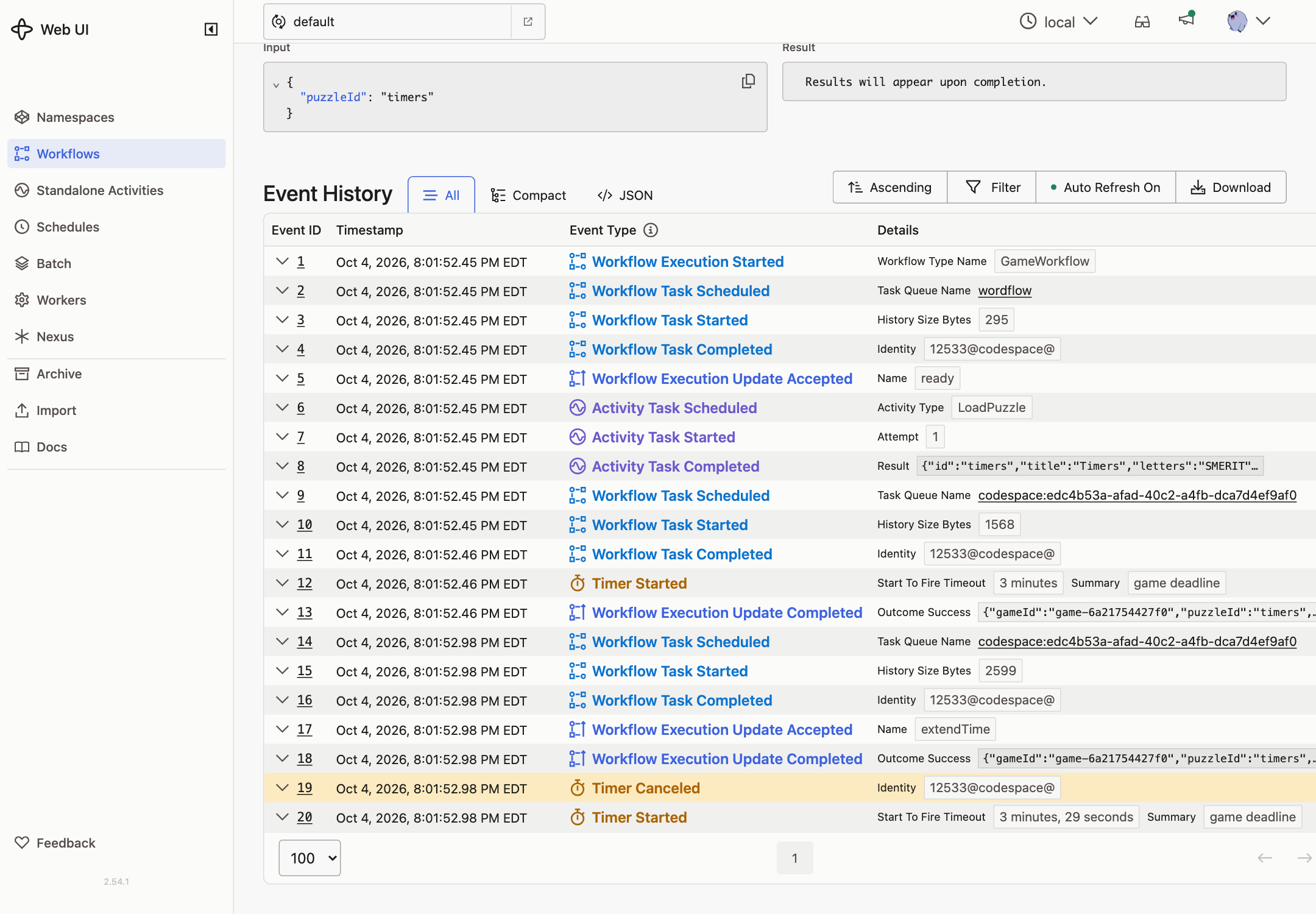
TimerStartedevent labelled game deadline. -
Click +30s. The countdown jumps forward 30 seconds. The history shows
TimerCanceled, then a newTimerStarted.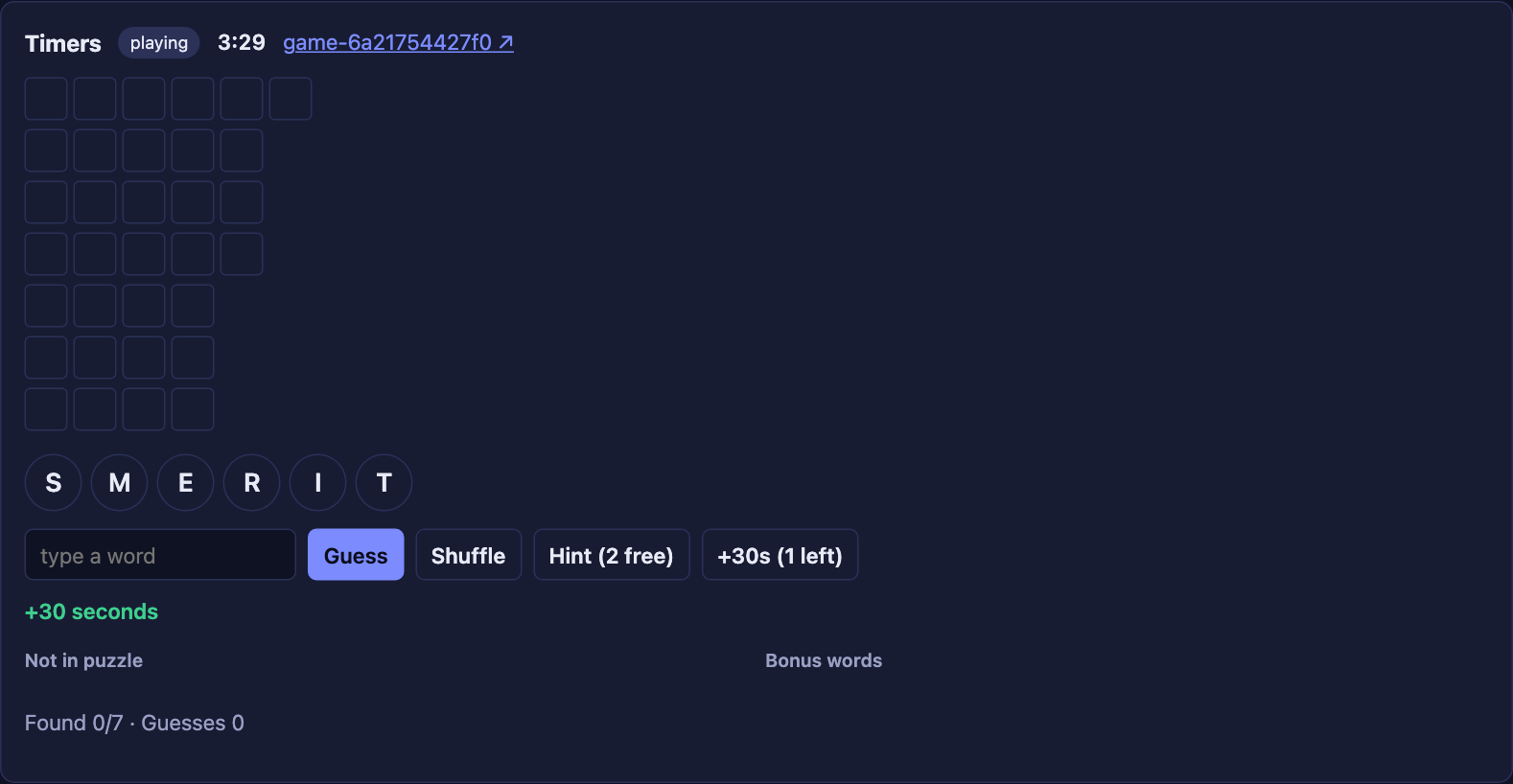
The Timeline tab shows the same thing: the first game deadline Timer is cancelled by the
extendTimeUpdate, and a new one starts.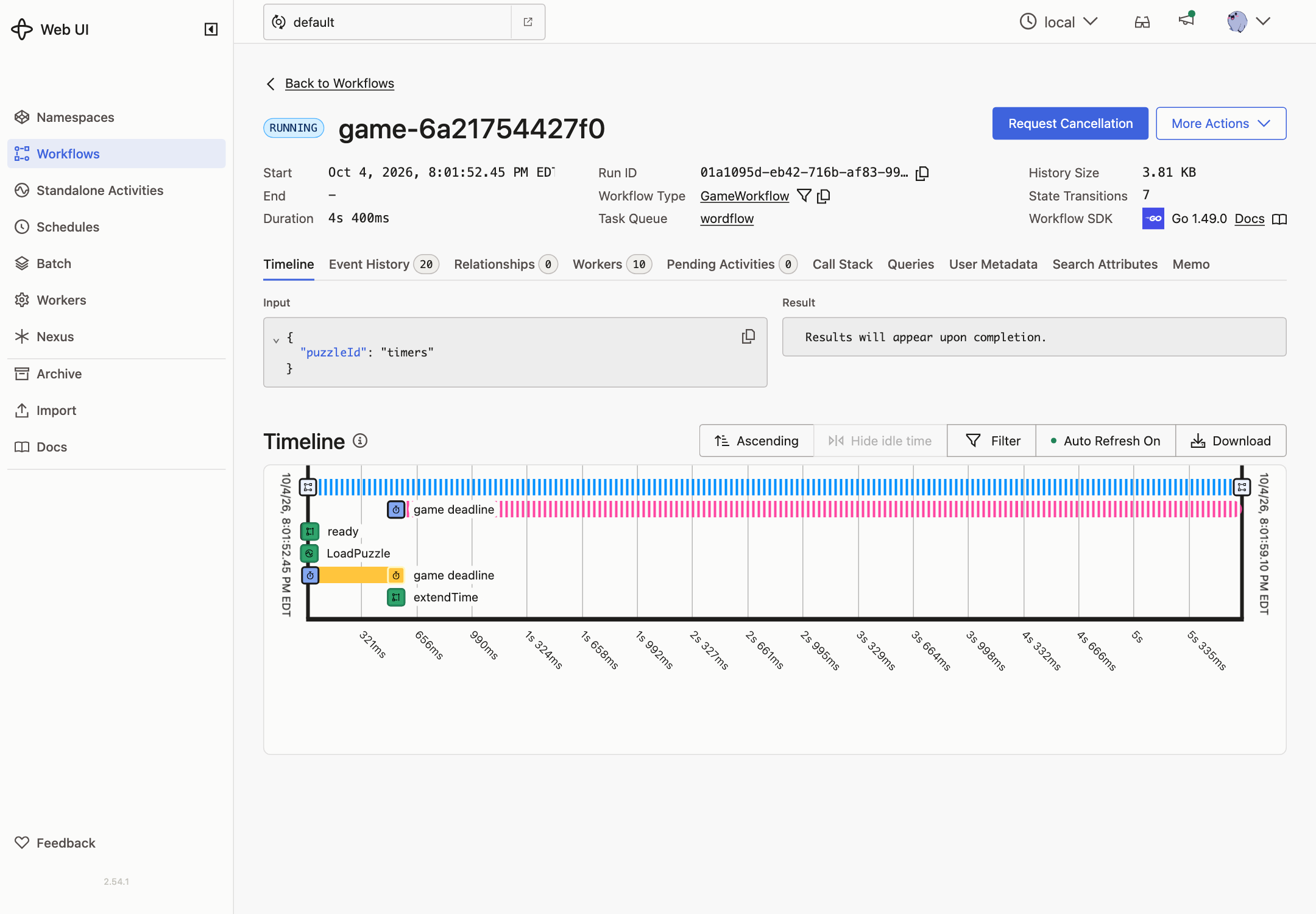
-
Click +30s a third time. You get no time extensions left, and nothing is added to the history.
-
Let the clock run out. The status becomes timed_out,
TimerFiredappears, and the Workflow completes. -
Start a game, then stop the Worker. Wait until the deadline has passed, then start the Worker. The game is timed out right away, and
TimerFiredshows the deadline time, not the time the Worker came back.