Wordflow Temporal Course · Lessons
04 · Updates
Goal: every guess gets an immediate answer, and a new game returns its board as soon as it’s ready.
Concepts
Update. A request to a running Workflow that can change its state and returns a result, or an error, to the caller. It’s a Signal and a Query in one round trip.
Validator. An optional function that runs before an Update is accepted. If it returns an error, the caller gets that error and nothing is written to history. Validators must not change state or block. Once accepted, an Update is recorded (WorkflowExecutionUpdateAccepted), and so is its result (WorkflowExecutionUpdateCompleted).
Update ID. Temporal de-duplicates Updates by ID within a Workflow run. Send the same Update ID twice and the second call returns the first result. We use the request’s Idempotency-Key, so retrying a guess can’t count it twice.
Update-with-Start. Starts a Workflow and sends it an Update in one call. With the ID conflict policy use existing, a retried request finds the Workflow it already started and sends the Update to it.
Waiting in a handler. Handlers may block, for example to wait for a condition. Our ready Update waits until the puzzle has loaded, then returns the board. The caller gets its answer early while the Workflow keeps running.
Finishing cleanly. When a guess wins the game, the main loop could complete the Workflow before that guess’s Update has replied. Wait for all handlers to finish before returning.
Patterns
What you’ll build
- A
readyUpdate that waits for the puzzle and returns the board. - The
guessSignal becomes aguessUpdate with a validator that rejects invalid words. The handler returns the outcome. - The main loop becomes “wait until the game is over, then wait for handlers to finish”.
StartGameuses Update-with-Start (ready).SubmitGuesssends theguessUpdate with the request ID as its Update ID.
Build it
1. Names
In app/shared/shared.go, replace the message names:
// Message names for GameWorkflow.
const (
	QueryState  = "state"
	UpdateReady = "ready"
	UpdateGuess = "guess"
)
2. Update handlers
In app/workflows/game.go, register two Update handlers after the Query handler and before loadPuzzle:
	// ready returns the first view as soon as the puzzle has loaded.
	err = workflow.SetUpdateHandler(ctx, shared.UpdateReady, func(ctx workflow.Context) (game.View, error) {
		if err := workflow.Await(ctx, func() bool { return state != nil }); err != nil {
			return game.View{}, err
		}
		return state.View(), nil
	})
	if err != nil {
		return game.Result{}, err
	}

	err = workflow.SetUpdateHandlerWithOptions(ctx, shared.UpdateGuess,
		func(ctx workflow.Context, guess shared.GuessInput) (game.GuessResult, error) {
			outcome := state.Guess(guess.Word, workflow.Now(ctx))
			return game.GuessResult{Word: game.Normalize(guess.Word), Outcome: outcome, Game: state.View()}, nil
		},
		workflow.UpdateHandlerOptions{
			Validator: func(ctx workflow.Context, guess shared.GuessInput) error {
				if err := checkLoaded(state); err != nil {
					return err
				}
				return state.CheckGuess(guess.Word)
			},
		},
	)
	if err != nil {
		return game.Result{}, err
}workflow.Awaitblocks until the condition is true. The SDK re-checks it whenever the Workflow’s state may have changed.- The handler and validator take a
workflow.Contextand then the Update’s arguments. game.Errorcreates the application errors thatCheckGuessreturns, and the API turns them into400responses.
Add the helper at the bottom of the file:
func checkLoaded(state *game.State) error {
	if state == nil {
		return game.Error("loading", "the game is still loading")
	}
	return nil
}
3. The main loop
Replace the Signal loop with:
	if err := workflow.Await(ctx, state.Over); err != nil {
		return game.Result{}, err
	}
	// Let any Update that is still running reply before the Workflow completes.
	if err := workflow.Await(ctx, func() bool { return workflow.AllHandlersFinished(ctx) }); err != nil {
		return game.Result{}, err
	}
	return state.Result(), nil
The handlers now change state. The main loop only waits.
4. Start with an Update
In app/api/api.go, replace StartGame:
func (a *API) StartGame(ctx context.Context, req httpapi.StartGameRequest) (httpapi.StartGameResponse, error) {
	startOp := a.Temporal.NewWithStartWorkflowOperation(client.StartWorkflowOptions{
		ID:                       shared.GuestGameID(req.RequestID),
		TaskQueue:                shared.TaskQueue,
		WorkflowIDConflictPolicy: enumspb.WORKFLOW_ID_CONFLICT_POLICY_USE_EXISTING,
	}, workflows.GameWorkflow, shared.GameInput{PuzzleID: req.PuzzleID})

	handle, err := a.Temporal.UpdateWithStartWorkflow(ctx, client.UpdateWithStartWorkflowOptions{
		StartWorkflowOperation: startOp,
		UpdateOptions: client.UpdateWorkflowOptions{
			UpdateName:   shared.UpdateReady,
			WaitForStage: client.WorkflowUpdateStageCompleted,
		},
	})
	if err != nil {
		return httpapi.StartGameResponse{}, err
	}

	var view game.View
	if err := handle.Get(ctx, &view); err != nil {
		return httpapi.StartGameResponse{}, err
	}
	return httpapi.StartGameResponse{GameID: handle.WorkflowID(), Game: &view}, nil
}
Import enumspb "go.temporal.io/api/enums/v1".
- Update-with-Start requires a conflict policy. Use existing means “if it’s already running, send the Update to it”.
WaitForStage: Completedwaits for the handler’s result.Acceptedwould return once the validator passes.
5. Send guesses as Updates
Replace SubmitGuess:
func (a *API) SubmitGuess(ctx context.Context, req httpapi.GuessRequest) (*game.GuessResult, error) {
	handle, err := a.Temporal.UpdateWorkflow(ctx, client.UpdateWorkflowOptions{
		WorkflowID:   req.GameID,
		UpdateID:     req.RequestID,
		UpdateName:   shared.UpdateGuess,
		Args:         []any{shared.GuessInput{Word: req.Word}},
		WaitForStage: client.WorkflowUpdateStageCompleted,
	})
	if err != nil {
		return nil, err
	}
	var result game.GuessResult
	if err := handle.Get(ctx, &result); err != nil {
		return nil, err
	}
	return &result, nil
}
A validator rejection comes back as an error from handle.Get or UpdateWorkflow, already in a form the HTTP layer maps to 400.
6. Run it
make clean-workflowsRestart the Worker and the server. Compare with solutions/04.
Check it
Run make clean-workflows, then restart the Worker and the server.
-
Click a puzzle. The board appears right away, with no loading state.
-
In the Temporal UI, the history starts with
WorkflowExecutionStarted, then thereadyUpdate’s accepted and completed events, with theLoadPuzzleActivity between them.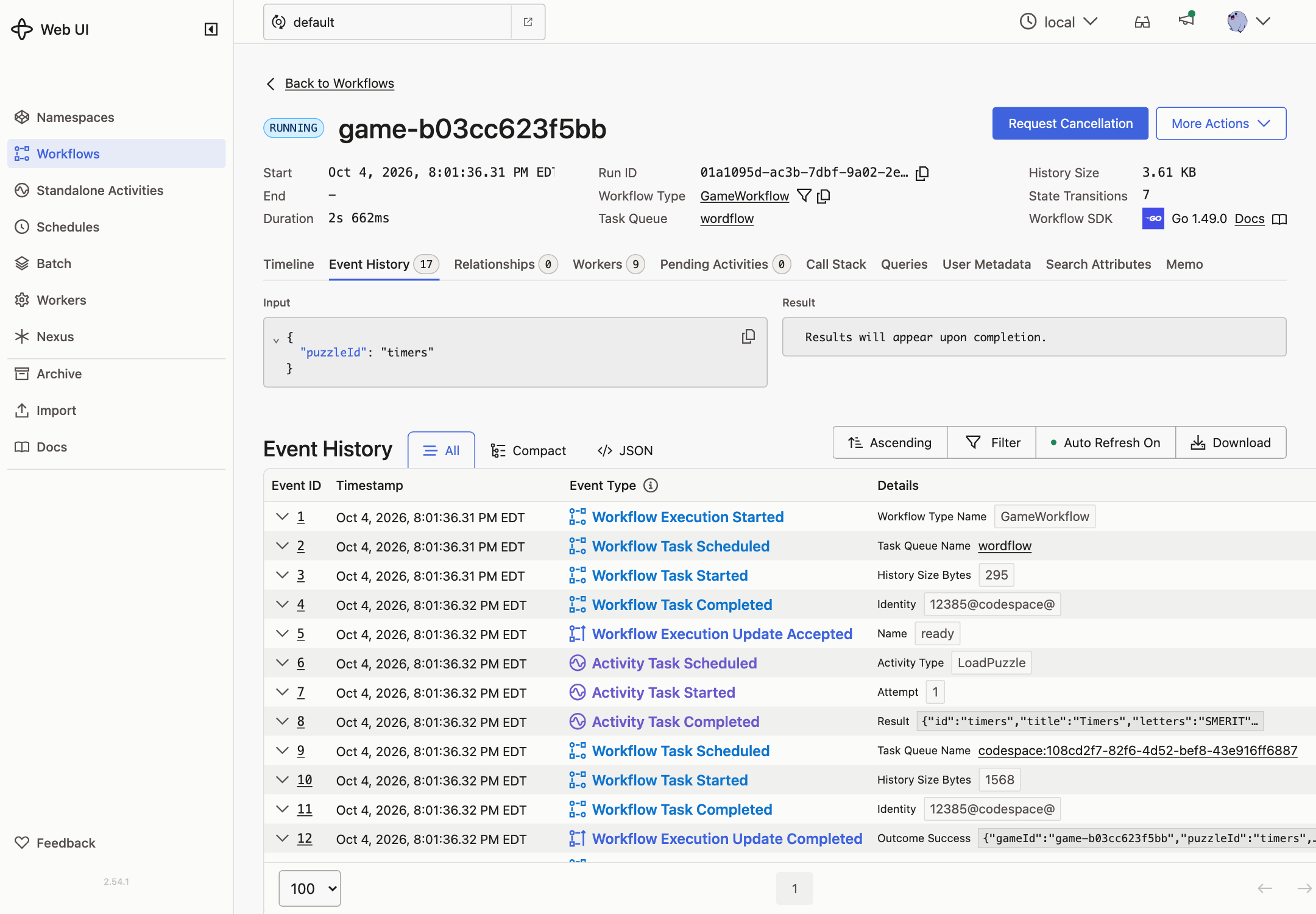
-
Guess a word. The app tells you what happened: found, not in puzzle, or already found.
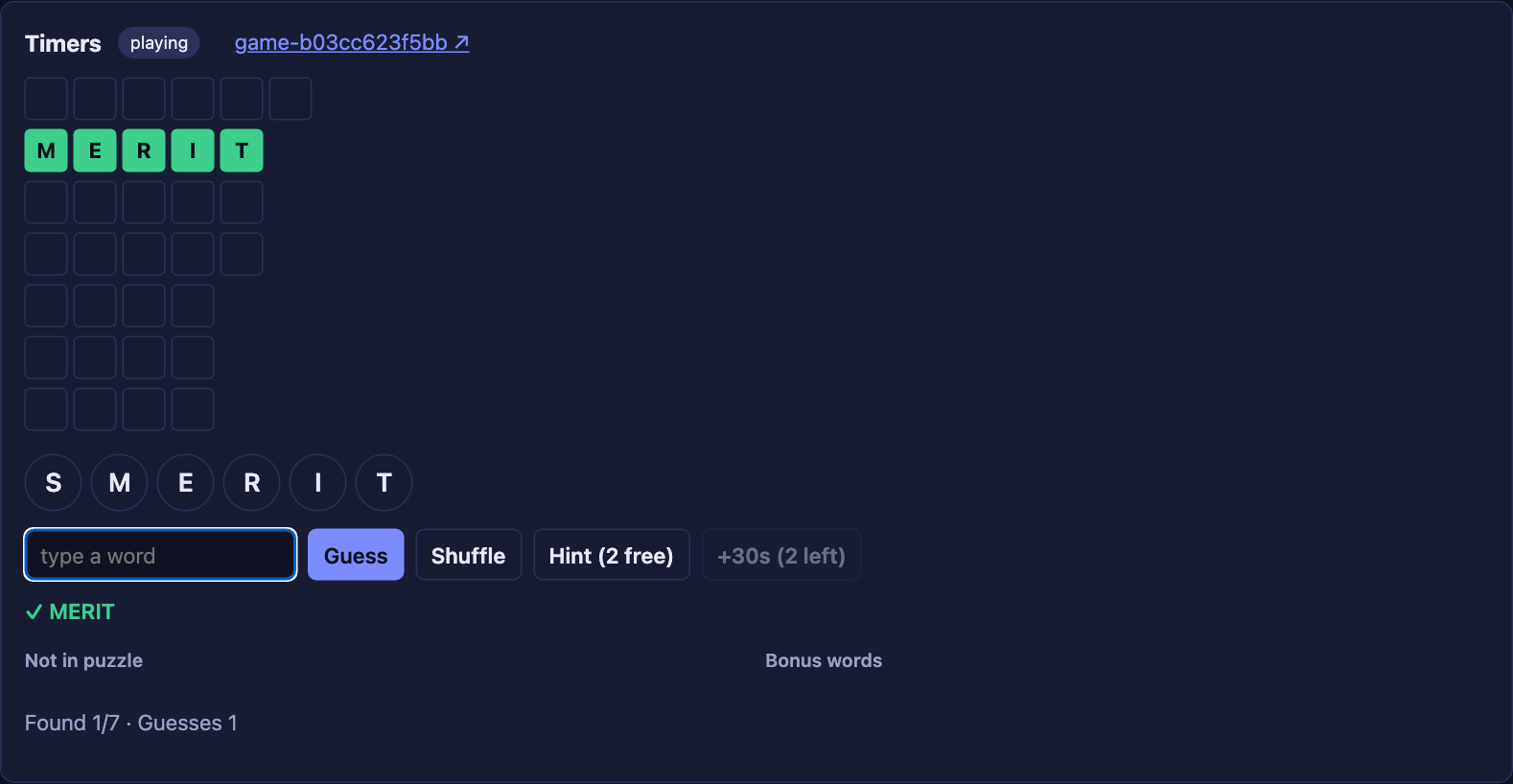
-
Guess
zz. You see words need at least 3 letters right away, and no new events appear in the history.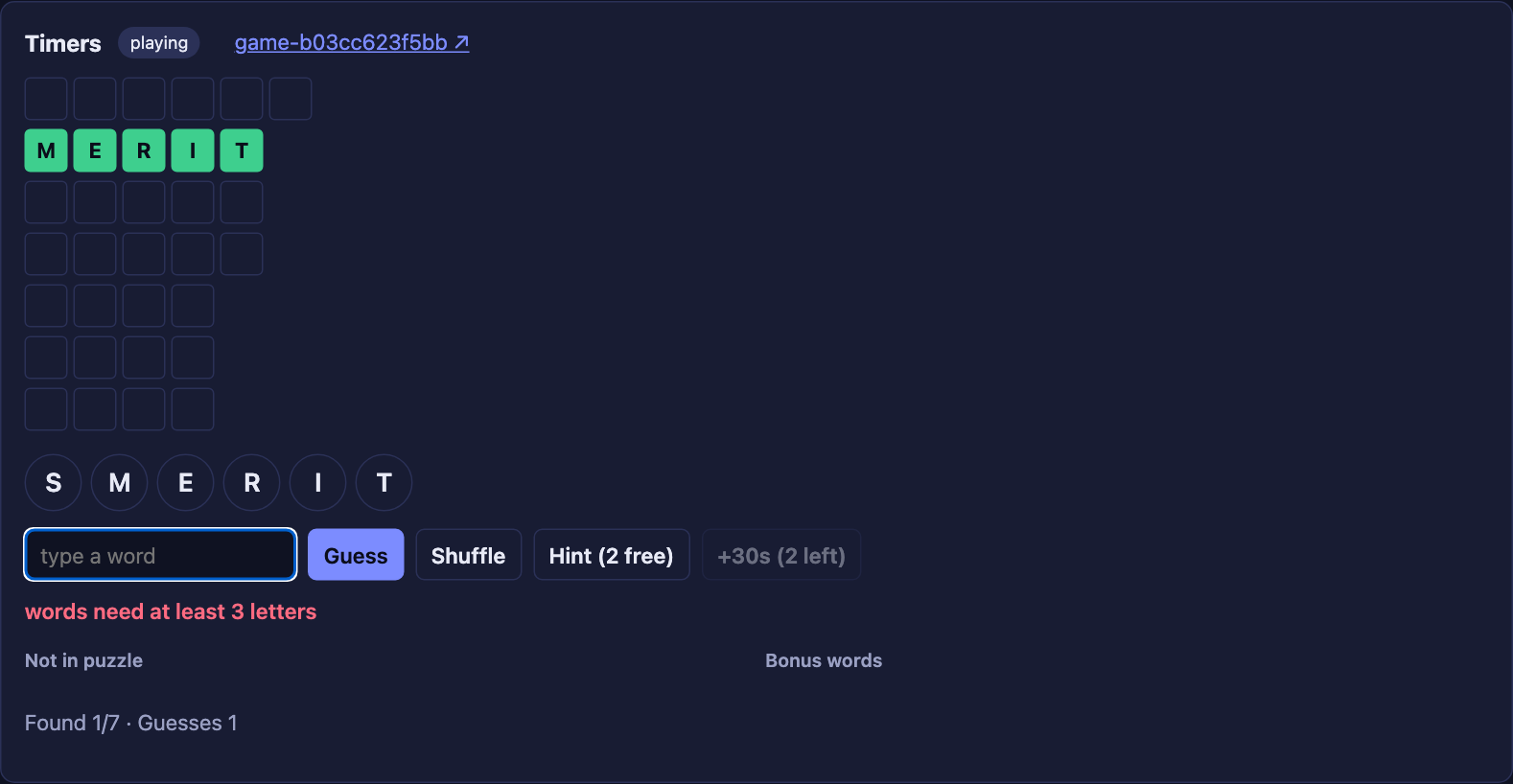
-
Send the same guess twice with the same key. Copy the game ID from the Temporal UI:
curl -s -XPOST localhost:8080/api/games/GAME_ID/guesses \
  -H 'Idempotency-Key: try-1' -d '{"word":"WORD"}'
Run it twice. Both replies are identical, the
guessescount went up only once, and the history has only one Update for it. -
Find the last word. The final guess returns
foundwith status won, and then the Workflow completes.