Dynamic Connector Configuration
An extremely common pattern today involves managed file transfers. The scenario might involve a large number of SFTP servers that files must be downloaded / uploaded to either on a schedule, or near-real-time as the files are created.
Let’s consider a managed file transfer architecture like this:
flowchart TB
  accTitle: Managed file transfer architecture
  accDescr: A scheduler or UI starts a job through the MFT Job Async API, which queues a task. The MFT Task Processor picks it up, reads its configuration from the secured MFT Config API, and transfers files to SFTP, S3, or cloud storage.
  trigger["External scheduler<br/>or UI"]
  jobs["MFT Job Async API<br/>experience layer"]
  queue[("Task queue")]
  processor["MFT Task Processor<br/>process layer"]
  config["MFT Config API<br/>system layer · secured"]
  db[("Credentials<br/>+ mappings")]
  sftp["SFTP"]
  s3["Amazon S3"]
  gcs["Cloud storage"]

  trigger -- "① start job" --> jobs
  jobs -- "② publish task" --> queue
  queue -- "③ consume" --> processor
  processor -- "④ fetch config" --> config
  config --> db
  processor -- "⑤ transfer files" --> s3
  processor --> sftp
  processor --> gcs

  class trigger,queue,db resource
  class jobs,processor,config app
  class sftp,s3,gcs external
- An external scheduler or UI starts a job through the asynchronous job API.
- The job API publishes a task event.
- The MFT Task Processor consumes the task.
- It fetches the transfer’s configuration (credentials and mappings) from the secured config API.
- It moves the files to or from the target systems.
With this approach, we now have a configurable file transfer agent (the MFT Task Processor) which utilizes an API for configuration; this flexible approach allows us to quickly build a process layer that we can control without touching code.
The issue? In MuleSoft, when building applications, we typically have a single, static (possibly parametrized) connector configuration. A basic flow to download files from an SFTP server, and then upload any pending files to the same server, might look like this:
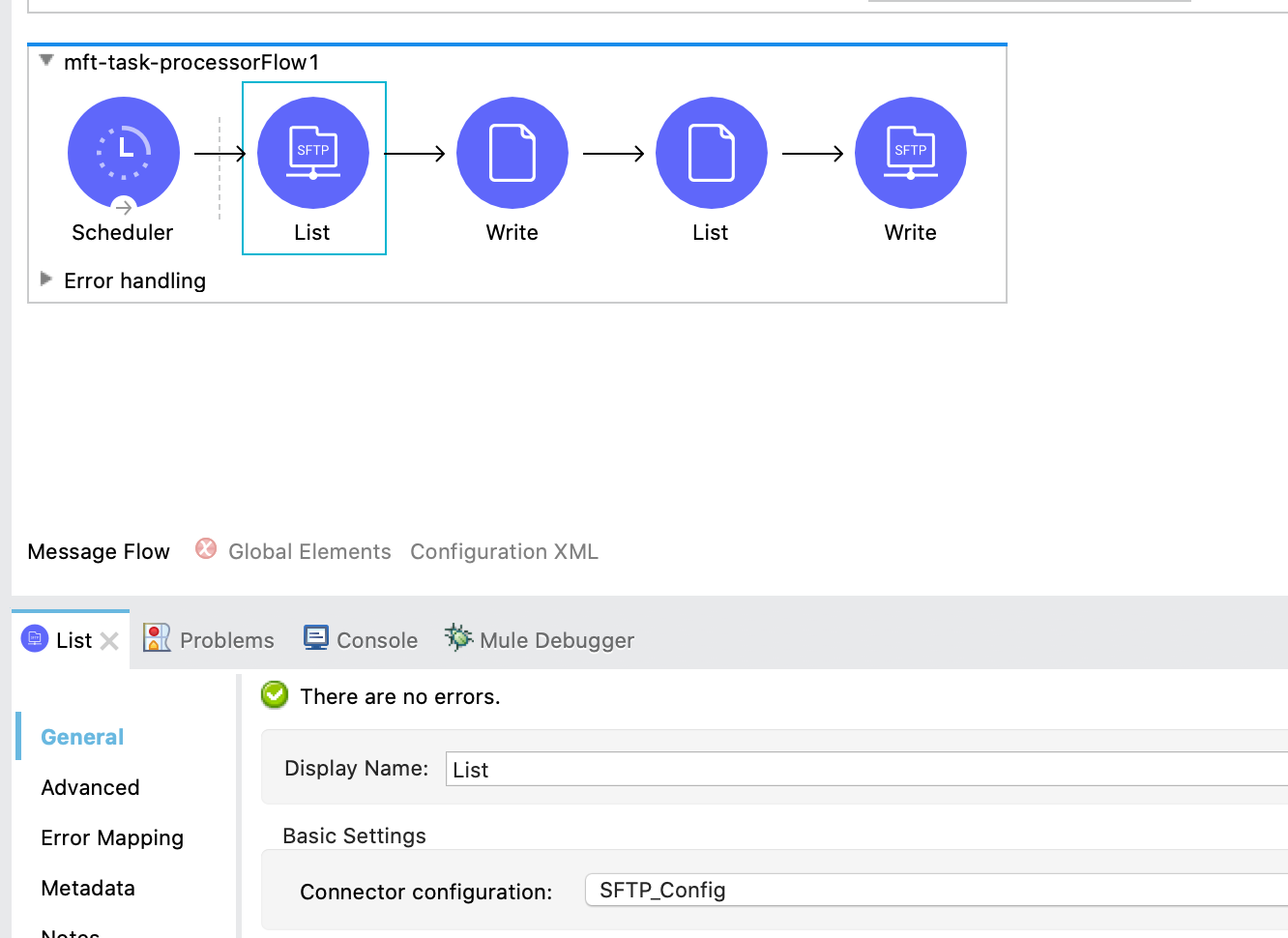
So how do we go about iterating through our configuration and connecting to each SFTP server when the connector configuration needs to be a global element? Exactly the same way we pass any kind of parameters to MuleSoft! In the background, the connector has a configuration manager which will check if the connection already exists, and if it doesn’t, will create it. This allows us to setup our flow like so:
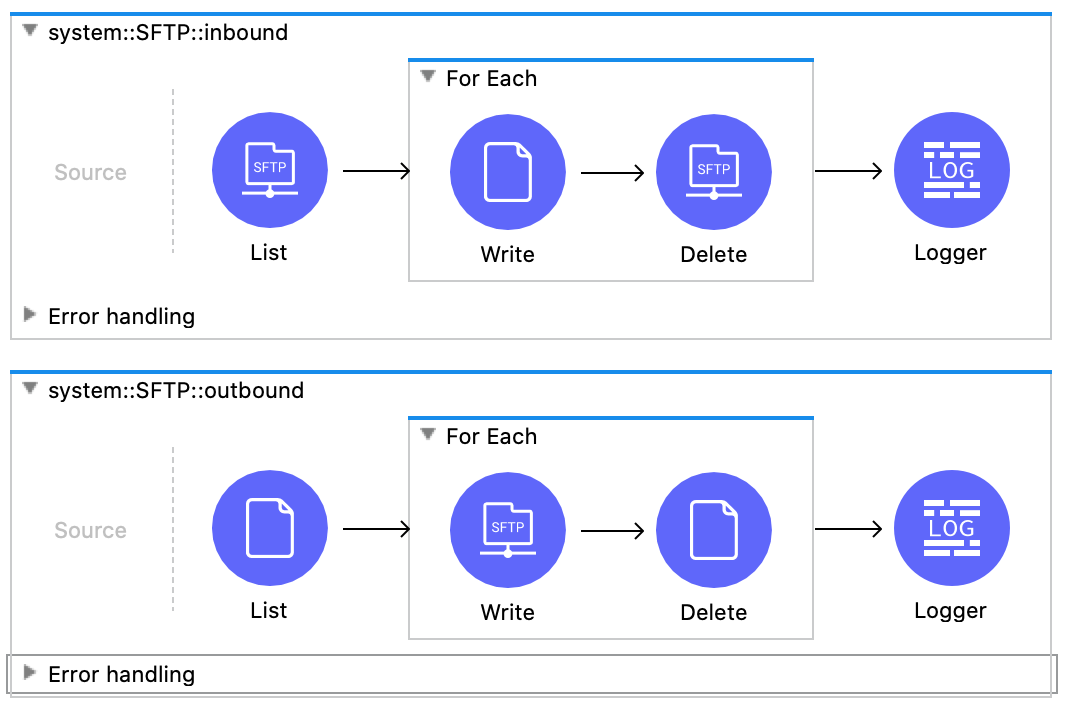
And use a connector configuration setup with the current scope’s variables rather than static parameters:
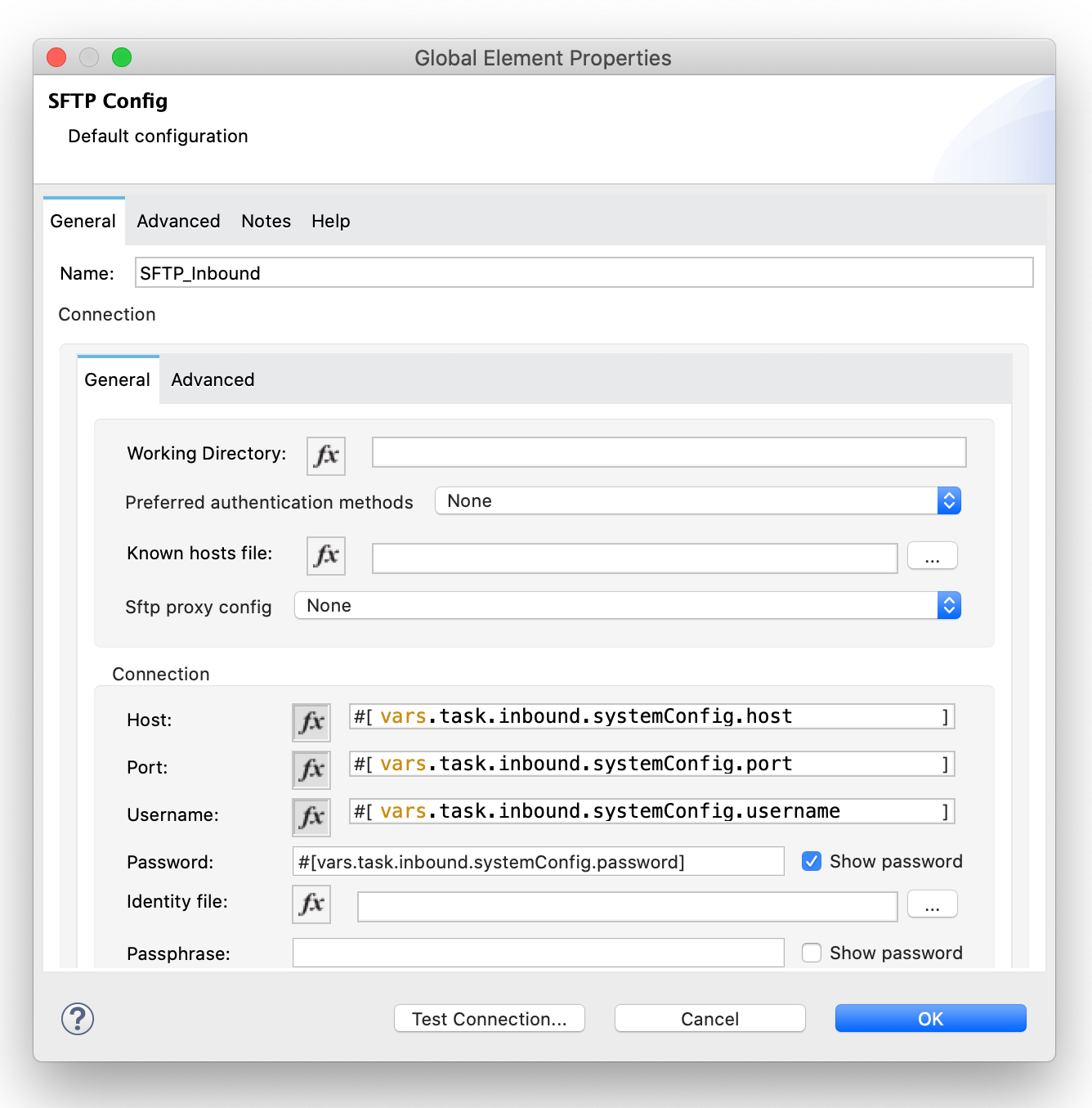
Now each time we iterate through our configuration and call an SFTP operation, the connection will be created if it doesn’t already exist! This trick isn’t limited to the SFTP connector either; this will work for the vast majority of connectors.
This method won’t work with event sources (ie: connectors that go in the Source section of a flow); for that you would need to use flow templates and some code to dynamically create new flows.
For a reference solution (note: NOT for production use as-is), take a look at these repositories:
- https://github.com/mikeacjones/mft_config-sapi
- https://github.com/mikeacjones/mft_job-papi
- https://github.com/mikeacjones/mft_task-processor
Wrap Up
If you have any questions or issues, feel free to click the button at the top of the page and submit a post question!